4 min read
Persian OCR: turning scans and photos into usable text
Turning a scanned Persian letter or a photo of a form into text sounds solved, until you search the result. Where Persian OCR goes wrong and how to get text you can trust.
OCR (optical character recognition) turns an image of text, a scan, a photo or a PDF made of images, into text a computer can search, copy and process. For English printed pages it has been reliable for years. For Persian the results are much more uneven, and the errors are often invisible until someone searches the archive for a name and finds nothing. This post explains why, and how to get Persian text you can rely on.
Why Persian is harder
- Letters join and change shape. Most Persian letters take a different form at the start, middle and end of a word, and many differ only in the number or place of their dots (ب پ ت ث, ج چ ح خ). A speck of dust or a faded dot turns one letter into another.
- Half-spaces. Words such as «میشود» or «کتابها» contain a zero-width non-joiner (ZWNJ), a character you cannot see but which keeps the parts apart without a full space. OCR often drops it, joining the parts, or puts a full space in its place. The text still looks almost right, but search and counting break.
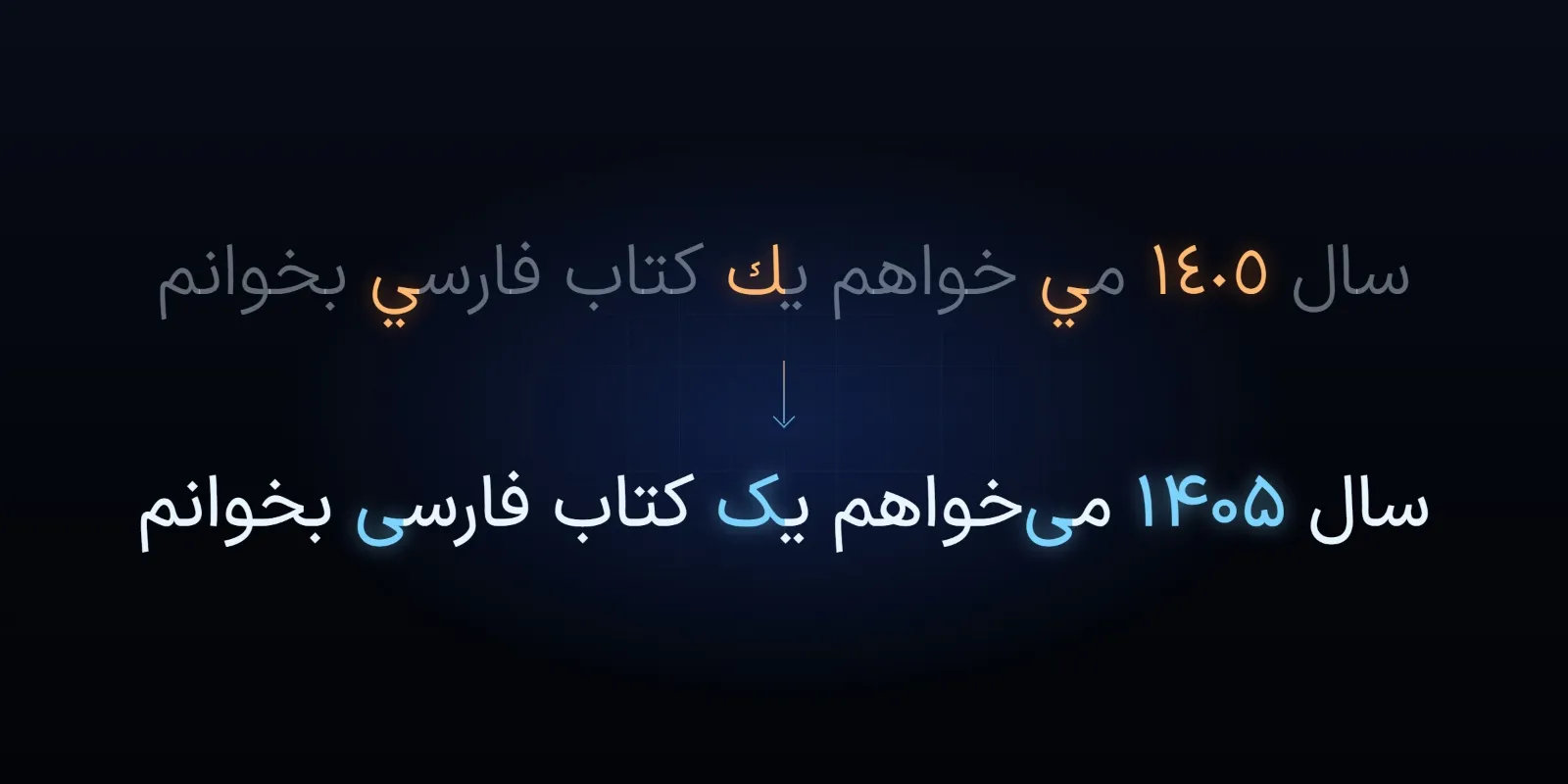
- Arabic and Persian letters. Unicode has separate characters for Arabic ي and ك and Persian ی and ک, which look the same or nearly the same. OCR output, and the files people type, often mix them. A search for «کیفیت» typed with Persian letters will miss the same word stored with Arabic ones.
- Digits. A document may use Persian digits (۱۲۳), Arabic-Indic digits (١٢٣) and Latin digits (123), sometimes on the same page. They need to be recognised and then stored in one consistent form.
- Right-to-left with left-to-right inside. Numbers, codes, email addresses and English words inside a Persian line run the other way. OCR can return them in the wrong order, which matters most in exactly the places that matter: amounts, dates and reference numbers.
- Fonts and handwriting. Decorative fonts, Nastaliq and handwriting are far harder than plain printed Naskh-style text. Handwriting in particular remains unreliable for most tools.
What makes the result better
Most of the quality is decided before the OCR runs:
- A flat, sharp image. A scanner is better than a phone; if you use a phone, keep the page flat, fill the frame and avoid shadows and angles. 300 dpi is a common, sensible resolution for scans of ordinary printed pages.
- Even light and good contrast. Grey text on grey paper, stamps over text and pages copied many times all cost accuracy.
- The right language setting. Many tools need to be told the page is Persian; left on English, they produce nonsense. A page that mixes Persian and English should be set to both.
- Straight pages. Correct rotation and skew first; a few degrees of tilt can break line detection.
Recognition is only half the job
The raw output almost always needs cleaning before it is useful:
- Normalise the letters. Convert Arabic ي and ك to Persian ی and ک, and remove stray diacritics and invisible characters that the OCR added.
- Fix half-spaces. Restore the ZWNJ in common patterns (the prefix «می», the suffix «ها», «ترین») and remove full spaces that should be half-spaces. Rules handle the common cases; a word list handles more.
- Choose one form of digits. Store digits in one form for search and calculation, and display them in whatever form the reader expects.
- Keep the structure. Tables, columns and form fields lose their meaning when flattened into lines of text. For forms and invoices, extracting each field into a structured record is often more useful than plain text.
We covered normalisation in more depth in processing Persian text with AI.
Where newer models fit
Besides classic OCR engines, multimodal models that read images (the same family as the large language models behind chat assistants) can now read Persian pages and also understand their layout, for example returning the fields of a form directly. They can be more forgiving of poor images, but they bring a risk that classic OCR does not: when a word is unclear, a language model may fill in a plausible word rather than mark it unreadable. The text then reads fluently and is wrong. For names, amounts and dates, this is the more dangerous kind of error.
Privacy matters too. Sending scans of contracts, medical files or identity documents to an online service sends their content to a third party. For sensitive archives, OCR that runs on your own servers is worth the extra effort (see running AI on the edge).
Check the output before you rely on it
- Measure on your own documents. Take a sample of real pages, of every type you have, type the correct text for them and compare. Accuracy figures from a vendor or a benchmark on other documents tell you little about yours.
- Check the fields that matter most (names, national codes, amounts, dates) separately from the general text. A page can be 98% correct and still have the one wrong digit that matters.
- Keep the image next to the text, so anyone who finds a document by search can see the original.
- Send unclear pages to a person. Many tools report a confidence for each word or line; route low-confidence pages to review rather than trusting them silently.
Contact us to discuss turning your organisation's Persian documents into searchable text.